
The risky part is not simply that the email is large. It is shrinking the source in a hurry, deleting the awkward-looking code, and finding out later that the message is smaller but much less usable in Outlook.
The safe way to reduce HTML email size is to remove genuine duplication and embedded payloads first, then protect the structures that carry the layout, contrast, and primary action in restrictive clients. Size work is not a beauty contest. The recipient should still be able to read the update and use the link after the inbox applies its own rules.
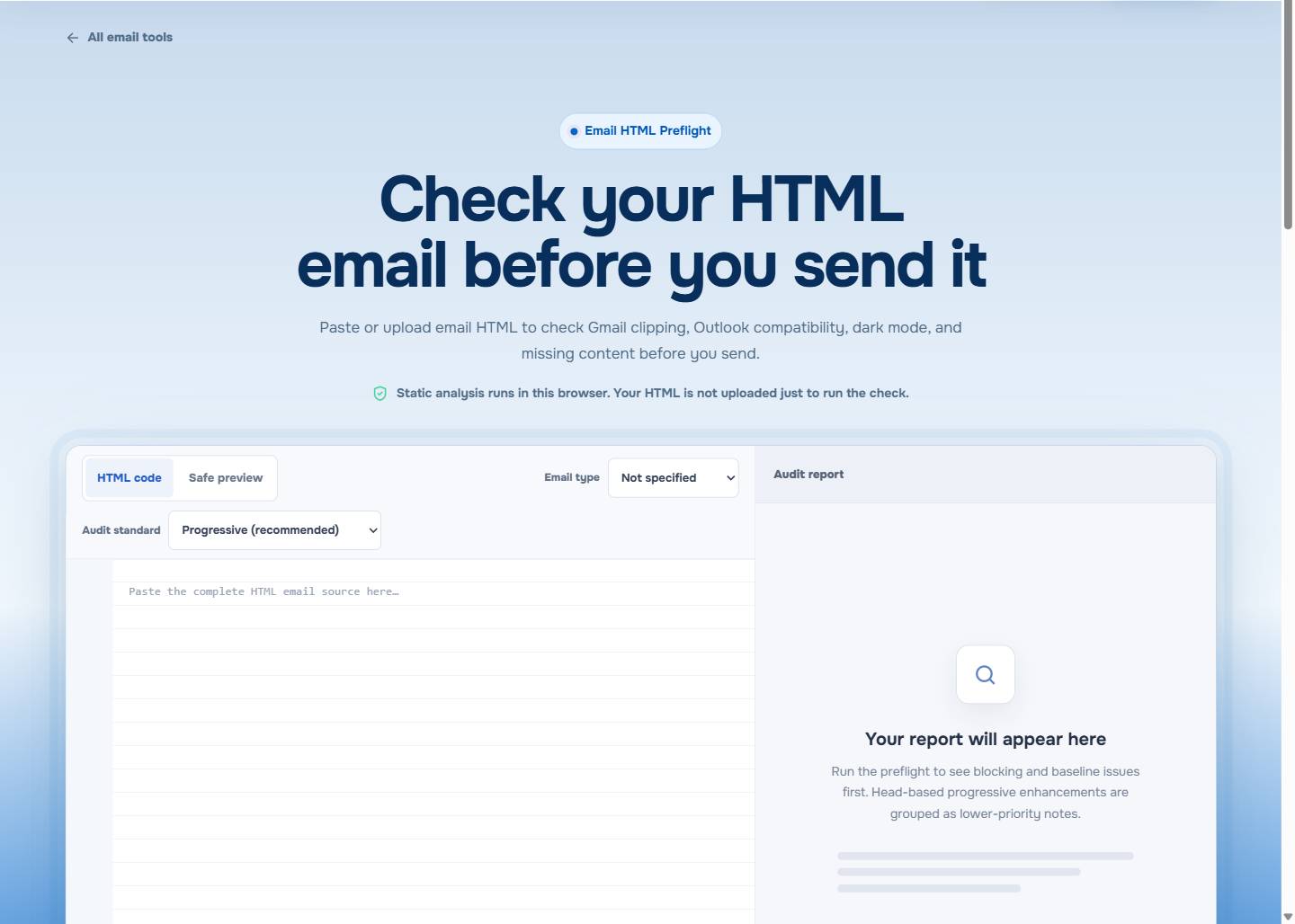
Open EasyAImail Email HTML Preflight to inspect the final HTML in your browser before a real inbox test.
Start with the source that will actually be sent
Do not judge the size of an email from a design export, a screenshot, or the files in an image folder. The relevant object is the final HTML after your editor, sending platform, merge values, and tracking additions have done their work.
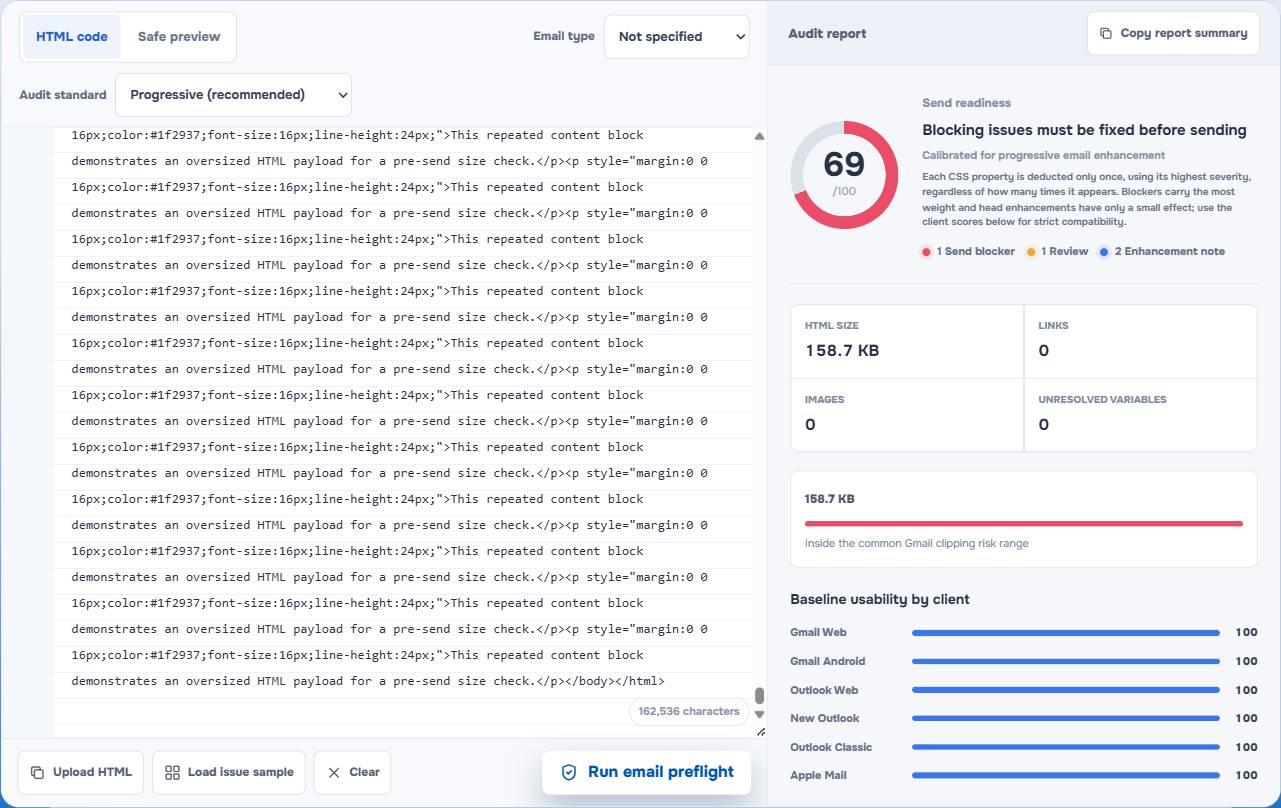
In the visible checker test, the 158.7 KB sample was marked for Gmail clipping risk. That is useful as a pre-send signal, not a promise that a number alone decides every inbox outcome.
For the clipping boundary itself, see Gmail Clipping at 102 KB. This article is about the repair decision: where to take bytes out without breaking the baseline that an inbox needs.
Remove the weight that does no work
The most reliable savings usually come from source that no longer has a job:
- A content block copied twice while a draft changed direction.
- Desktop and mobile copies where one is no longer necessary.
- Comments, hidden modules, or abandoned legal copy left by an editor.
- Repeated tracking markup or pasted formatting from a document or webpage.
- Base64 image data inside the HTML when a normally hosted asset would serve the same purpose.
An external image can still be slow or heavy for a recipient, but the image file size and the HTML byte count are different questions. A short image URL adds some markup. A base64 image places the image data in the source itself and can inflate it quickly.
Do not treat compatibility code as disposable clutter
The code that looks least like modern web markup is often the code that preserves the message in an older or more limited client. A layout table, a fixed width on the right cell, or an Outlook-specific fallback may be carrying the order, spacing, or background contrast that makes the email understandable.
Before removing a section, ask what it is protecting:
- Does it keep the headline, body, and action in a sensible order?
- Does it keep a button visibly separate from its background?
- Does it provide spacing that a recipient needs to distinguish one request from another?
- Does it exist only for a client path you still need to support?
If the answer is yes, leave it alone until you have tested a replacement. Outlook HTML Email CSS Support explains why a browser-perfect version is not enough evidence for an inbox layout.
Reduce repeated styling with care
Inline CSS is normal in email, but accidental repetition is still expensive. Compare similar buttons, cells, and paragraphs. If every copy is slightly different because of old edits, cleaning the source rules before the final inline pass can remove real bloat.
Do not "optimize" by stripping every rule into one undifferentiated blob. Media queries, client-specific fallbacks, and conditional code can serve a purpose that a simple inline attribute cannot. The question is whether a declaration is duplicated by accident or needed by the final message.
For that distinction, Email CSS Inliner: How to Inline CSS Without Breaking Responsive Email is a useful companion.
Work from the least risky fix to the most structural one
Use a sequence that makes a regression easier to spot:
- Save a clean copy of the source before editing.
- Remove abandoned sections and duplicated content blocks.
- Replace unnecessary embedded image data and remove genuinely redundant markup.
- Consolidate accidental repeated styling only after checking a representative heading, paragraph, button, and table cell.
- Rerun the size check on the processed HTML.
- Send a real test to the inboxes that matter before an important campaign or notice.
That order avoids the tempting but dangerous shortcut of removing Outlook fallbacks first because they are unfamiliar.
Leave room for the sender's final additions
An HTML file can gain bytes after you finish it. Personalization fields, link tracking, analytics labels, and conditional content may all appear in the version that reaches a recipient. If your source is already close to a clipping-risk threshold, do not assume it will stay there.
Keep a buffer, then inspect the last version available to you. The goal is not an aggressively small number. It is an email whose main message and next step remain immediately available.
What the checker can and cannot settle
EasyAImail Email HTML Preflight measures the supplied HTML and surfaces source-level risks such as size, unresolved variables, placeholder links, image issues, accessibility concerns, and compatibility signals. Its static analysis runs in the browser.
It does not deliver the message to every Gmail or Outlook account, predict inbox placement, or prove pixel-identical rendering. Use the report to make a real inbox test more focused, especially where the message affects a deadline, an account, or revenue.
When the code is not the first problem
If you do not have a finished HTML email yet, start with the message rather than prematurely optimizing code. In the EasyAImail web app, you explain the recipient, purpose, and facts. AI recommends relevant templates, you choose the one that fits, answer the missing details, and review the complete HTML before deciding whether to send.
If you already have a draft in Gmail or Outlook, the EasyAImail browser plugin can support a user-triggered review or local rewrite. Neither route replaces the final review of facts, links, and recipients.
FAQ
Do external images count toward the HTML size?
An ordinary remote image and the HTML source are separate. The image can affect loading time, while its URL adds markup to the HTML. Base64 image data is different because it is embedded directly in the source.
Should I delete Outlook conditional comments to save bytes?
Not by default. Remove duplication and unused assets first. Conditional or client-specific code may be the fallback that keeps a critical layout or action readable.
Can CSS inlining make an email smaller?
Sometimes it clarifies the source, but it can also repeat declarations across many elements and increase the byte count. Measure the processed HTML instead of assuming inlining always reduces it.
Can the checker tell me whether the email will reach the inbox?
No. It is a static HTML review, not a deliverability or spam-placement prediction.
Check the message, not just the number
Finally, check the HTML you are actually going to send: remove source bloat that no longer serves the recipient, keep the compatibility baseline intact, rerun preflight, and test the message where it matters. A smaller file is only a win when the email still does its job.
 Get the Edge extension
 Get the Firefox extension