
The safest way to write a holiday thank-you email to a client is to remove the hidden agenda. If the real purpose is to ask for a meeting, renew a contract, or introduce an offer, write that business email on another day. A thank-you note works when it gives the client one clear reason they mattered to you and asks for nothing in return.
That is harder than it sounds. During a crowded holiday season, a generic "thank you for your support" can feel copied and a cheerful message that turns into a pitch can feel worse than saying nothing at all.
Start with one specific thing you appreciate
You do not need to summarize the entire client relationship. Choose one truthful detail that represents it:
- a project where they gave clear, useful feedback;
- the trust they showed during a complicated decision;
- the way they made collaboration straightforward;
- a milestone the two of you reached together.
Specific does not mean overly personal. "Thank you for the thoughtful feedback during the site launch" is enough. It tells the recipient this was written with their work in mind, not sent to a list.
Keep the message separate from a sales conversation
A holiday thank-you email can include a warm wish and a short note about when you will be back after the break. It should not smuggle in a promotion, a pricing update, or a request for a referral.
If you are tempted to add "while I have you," stop there. The client should be able to read the note and leave with no obligation to reply, buy, book, or decide anything. That restraint is what lets the message feel generous.
When you do not know which holiday a client celebrates, use an inclusive seasonal line such as "Wishing you a restful holiday season and a strong start to the new year." Do not assume more familiarity than the relationship actually has.
A client holiday thank-you email example
Here is a complete example for a small design studio writing to a long-term client. The names and company are fictional.
Subject: Thank you for a thoughtful year together
Hi Priya,
As the year winds down, I wanted to thank you for the trust you placed in Northline Studio during the Atlas website launch.
Your team gave clear, considered feedback at every stage, which made a complex project feel genuinely collaborative. We are proud of what we built together and grateful for the care you brought to the process.
No reply is needed. I simply wanted to wish you and the Atlas team a restful holiday season and a happy start to the new year.
Warmly,
Jordan Lee
Designer, Northline Studio
The useful parts are modest: a real project reference, one observation about the collaboration, no sales turn, and a clear release from needing to respond.
When a designed email helps, and when it does not
A complete HTML email can give a short thank-you note enough breathing room to feel intentional. It is most useful when the relationship is established and the email deserves more care than a quick plain-text reply.
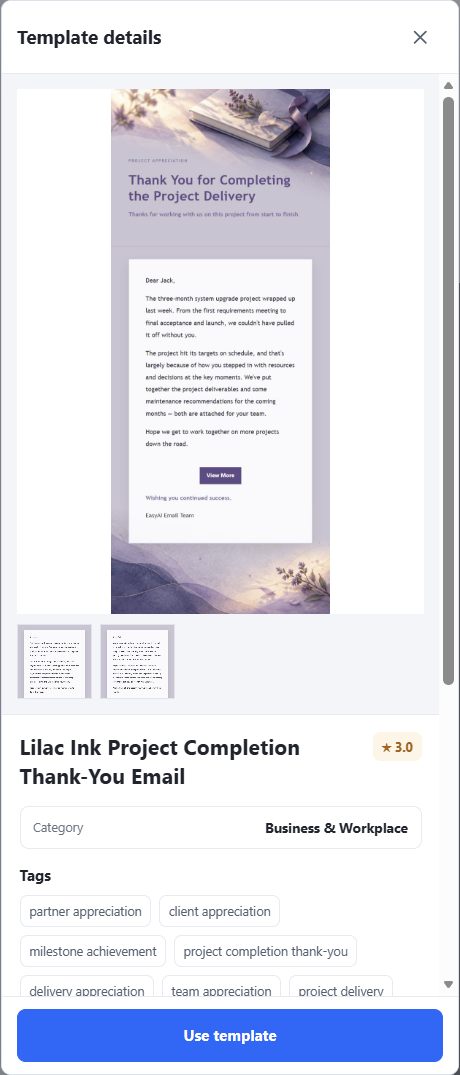
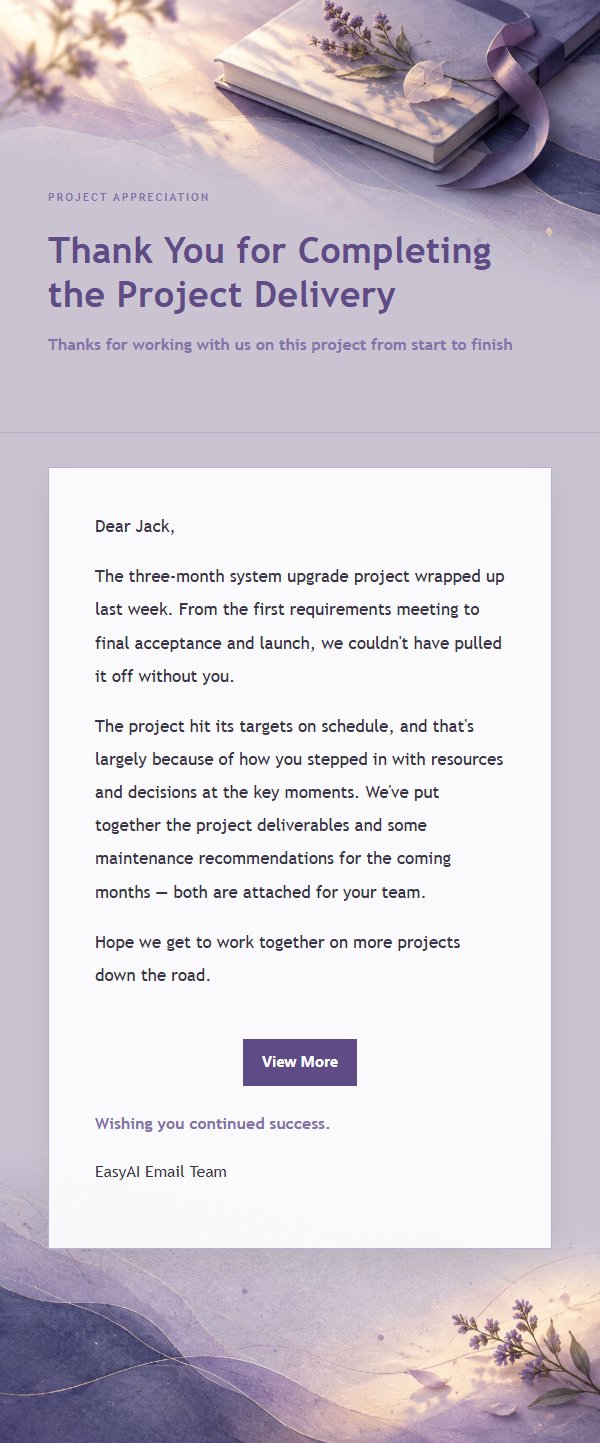
The visual should support the relationship, not perform for it. In this demonstration, we inspected and selected Lilac Ink Project Completion Thank-You Email for its letter-like layout and the connection to a completed client project. The generated note keeps the gratitude and holiday wish, without a sales button.
The template does not make the message sincere by itself. The factual detail and the absence of a pitch do that work. Open the template details, inspect the treatment, and choose the one you would be comfortable sending under your own name.
Turn the note into an unsent Gmail draft, not a sales send
For a new message, open Gmail and start from a simple intention, for example: "Write a short holiday thank-you email to Priya Shah at Atlas. Mention the website launch and her team's thoughtful feedback. Keep it warm, professional, and do not include a sales ask."
The EasyAImail browser plugin can recommend relevant templates after it understands that intention. The recommendation is not an automatic choice. You open the options, review the template details, and select the visual that fits the relationship.
After that, it asks only for information that is still missing. Give the date, relationship context, or desired sign-off in natural pieces. When it asks whether you want to add anything else, make sure the note truly has no promotion or request before confirming that there is nothing more.
Review the generated HTML email as a whole: the subject, greeting, visual weight, factual reference, closing, and signature. You can ask for a quieter opening or remove a sentence, then confirm that you have no more changes before it generates the revision. After insertion, review the complete HTML note inside Gmail's unsent editor, with the EasyAImail panel beside it. You still decide whether it is ready to send.
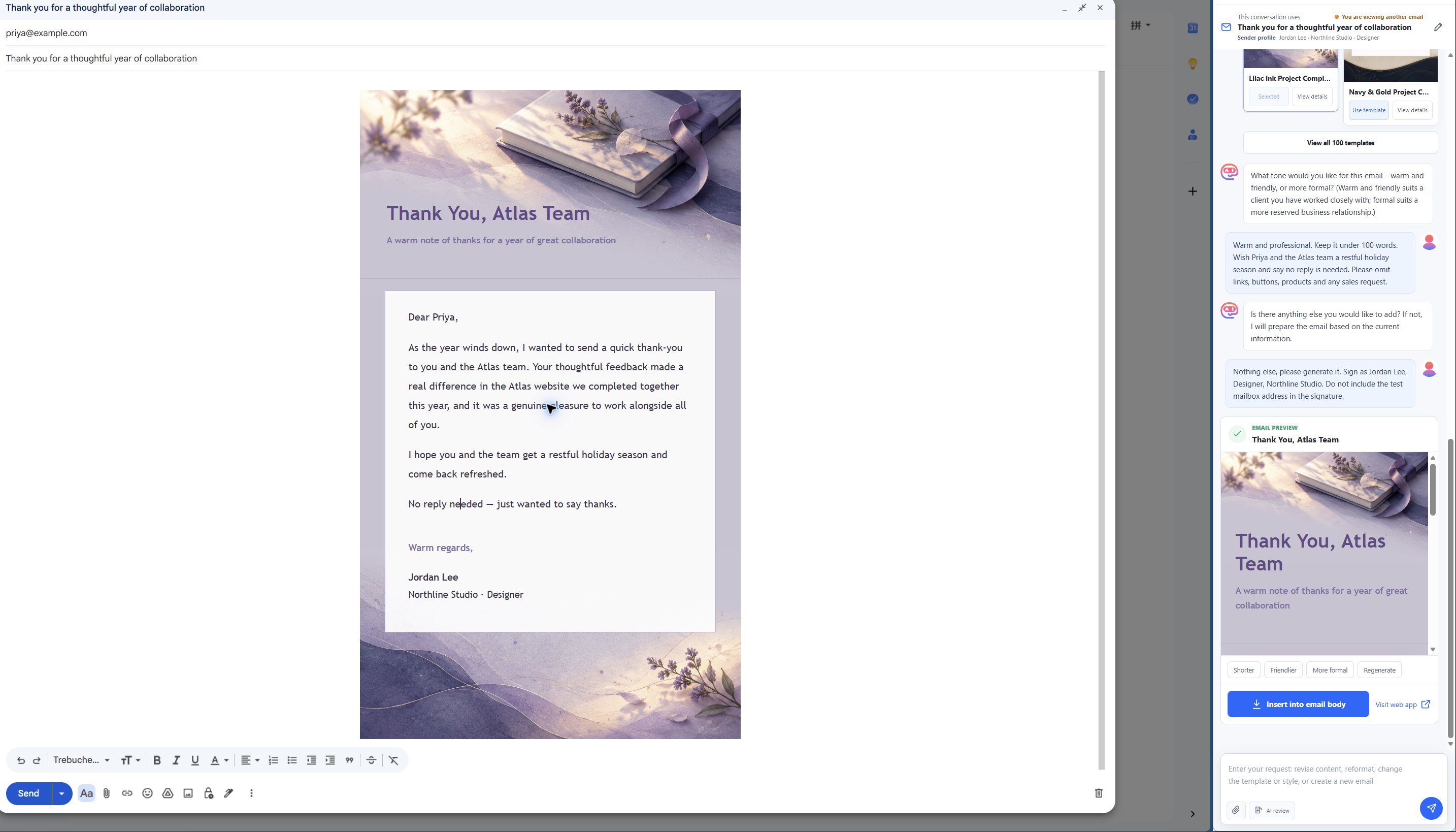
The saved draft is reopened here beside its original generation history. The context notice shows that EasyAImail retains the original conversation rather than silently switching to a different email.
To see the browser-plugin workflow in Gmail, visit the EasyAImail browser plugin. For a holiday notice with operating dates rather than a thank-you, see holiday office closure email to clients. If your note is specifically for Thanksgiving, a Thanksgiving email to a client covers that occasion rather than a general year-end message.
Common mistakes
- Turning gratitude into a lead-in for an offer. Send the thank-you by itself.
- Making it too broad. One specific project detail is stronger than a paragraph of praise.
- Overdesigning a reserved relationship. A calm business template is often better than a festive visual.
- Making a reply feel required. "No reply is needed" can remove quiet pressure when it is genuine.
- Letting the draft go without review. Check every name, project reference, and sign-off in the final Gmail draft.
FAQ
Should a holiday thank-you email to a client include a call to action?
Usually no. A thank-you can name a future date only when it is operationally useful, such as your reopening date. Do not use the note to create a new sales task for the recipient.
What if I do not know which holiday the client celebrates?
Use a neutral seasonal wish. A respectful holiday-season greeting is warmer than guessing.
Does the EasyAImail browser plugin send the message from Gmail?
No. It helps you create and review the complete HTML email beside Gmail, then insert it into an unsent draft. The template choice, final review, and Gmail Send button remain under your control.

 Get the Edge extension
 Get the Firefox extension