
How to Write a Human-Sounding Email with EasyAImail
When people try AI for work emails, the biggest concern is often not grammar. It is the feeling that the recipient will notice the message was generated by a machine. The senten...
How to Write a Human-Sounding Email with EasyAImail
When people try AI for work emails, the biggest concern is often not grammar. It is the feeling that the recipient will notice the message was generated by a machine. The sentences may be too symmetrical, the adjectives too polished, and the opening and closing may sound like a reusable template rather than one person writing to another.
EasyAImail is designed to create the whole email, not just polish a few lines. It first understands what you mean, lets you inspect and choose a suitable template, asks for missing context step by step, and then produces a complete HTML email for review. You are still the person writing the message. AI helps organize the information into something you can check and send.
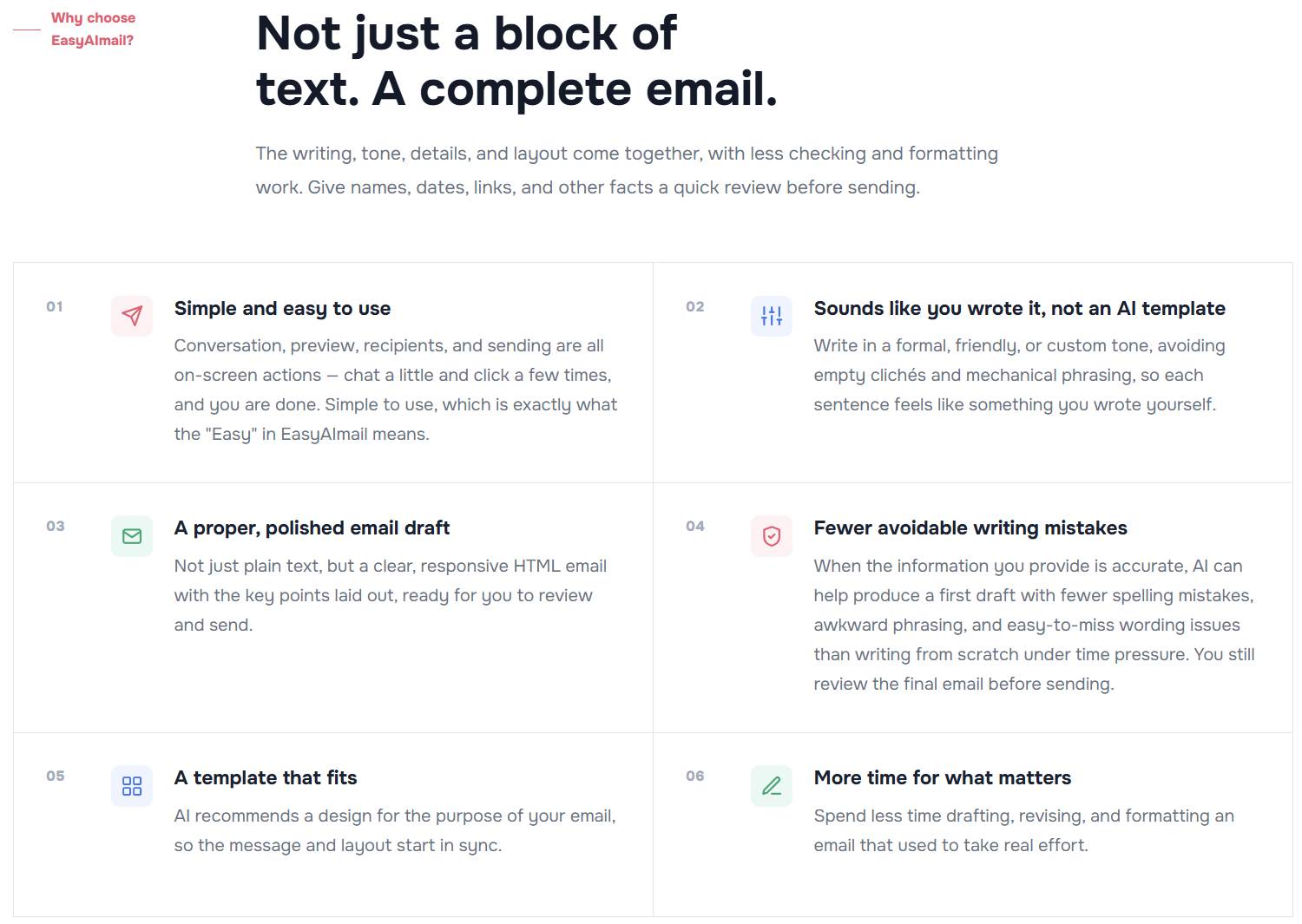
“Human-sounding” does not mean bypassing detection
Natural writing starts with real facts, a real relationship, and the right level of detail. No tool can guarantee that a message will never be flagged by an AI detector, and AI should not replace your responsibility to verify the facts.
Here, “sounds like me” means that the email has a clear reason for being sent, uses the right salutation, reflects the actual relationship, includes concrete details, and matches the way you normally communicate. It should not read like a generic answer detached from the situation.
Step 1: Start with an incomplete thought
You do not need to write a perfect prompt first. You can simply tell EasyAImail: “I want to send a project update to a client. It should be professional, but not sound like a template.”
The conversation then asks who the recipient is, what your relationship is, what has happened in the project, what the recipient needs to know, and whether the tone should be more formal or more relaxed. You can answer one question at a time, much like discussing a draft with a colleague.
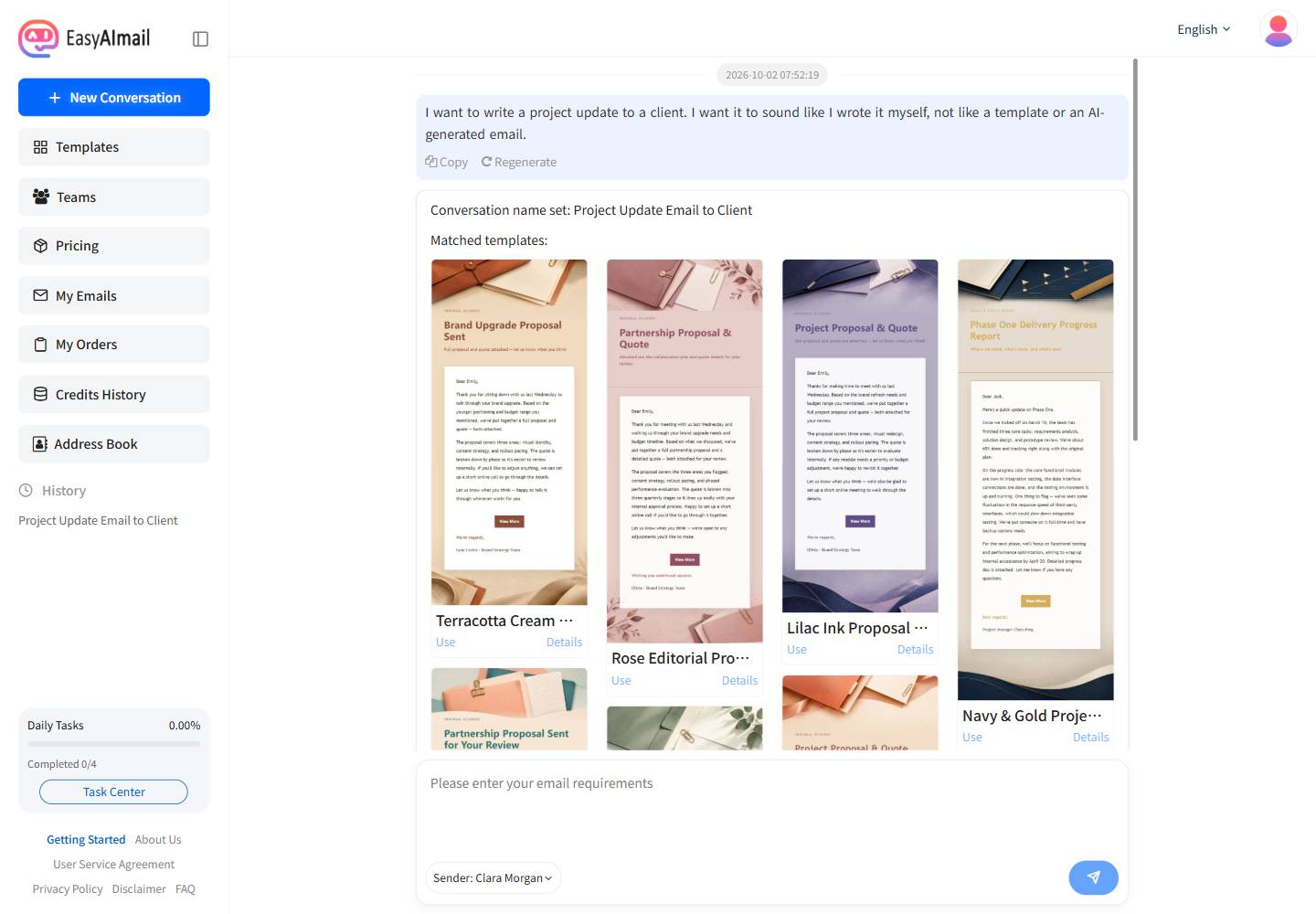
This keeps the process grounded in your information. EasyAImail does not need to invent a background to fill a large prompt. Names, dates, progress details, and the next action you provide become the basis of the email.
Step 2: You choose the template
EasyAImail recommends templates based on the purpose of the email, but the recommendation is not an automatic final choice. You can inspect the template name, tags, colors, description, and example content before deciding whether it fits the relationship and the situation.
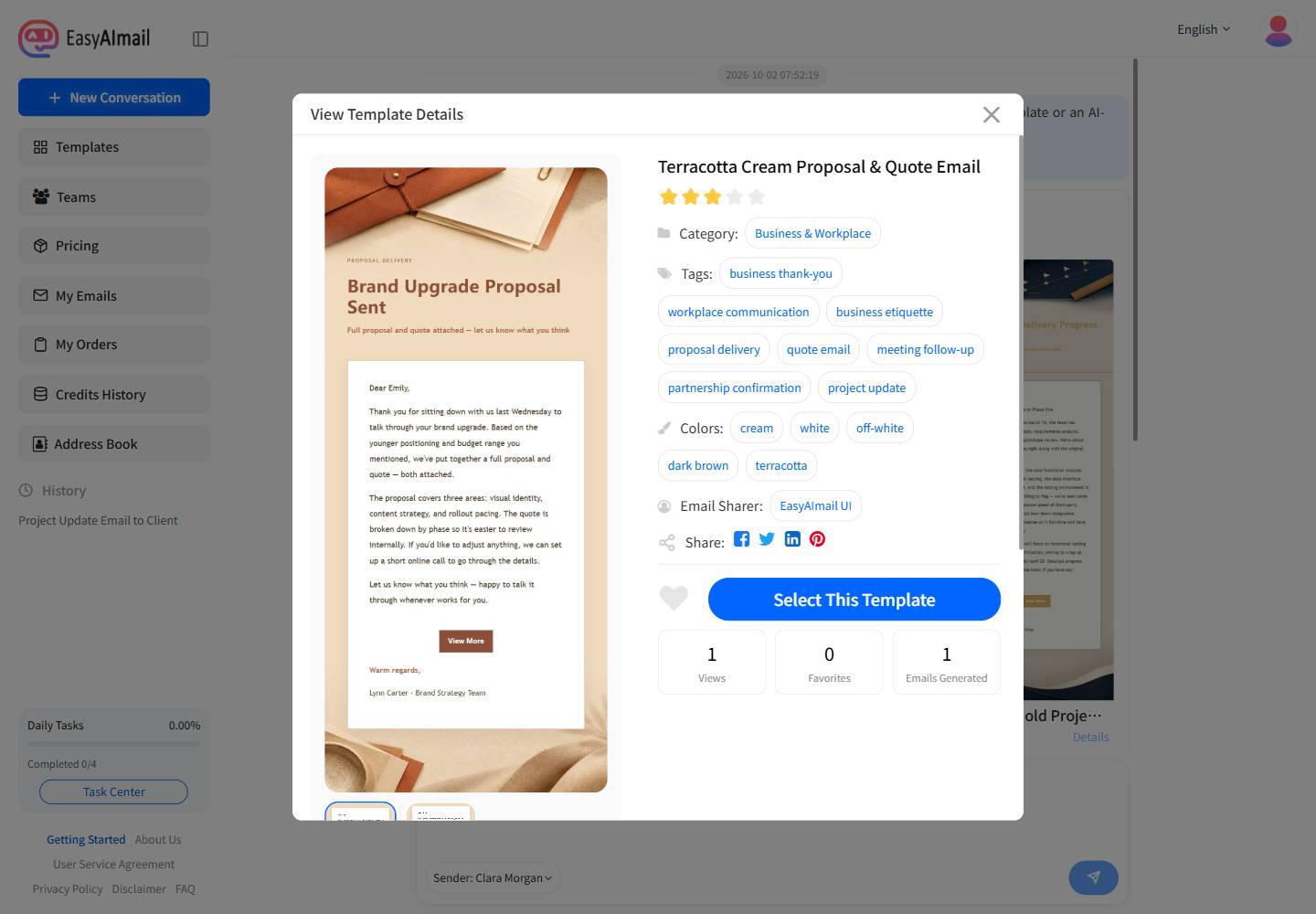
The template handles the visual presentation and HTML structure. It does not decide what feels right to you. Two people may choose different designs for the same project update: one may prefer a restrained business layout, while another may prefer a warmer, more spacious style. The AI narrows the options; you make the final choice.
Step 3: The writing rules remove common AI signals
EasyAImail’s email-generation prompt includes explicit natural-writing rules. It does not stop at “make it professional.” It also asks the generation step to:
- Avoid empty business language and piles of abstract praise.
- Avoid mechanical transitions such as “first, second, finally, and in conclusion” when they do not fit the message.
- Replace vague claims with concrete facts: what is finished, what is pending, and who needs to do what next.
- Let paragraphs and sentence lengths vary instead of making every section look perfectly balanced.
- Use a salutation and closing that fit the recipient and relationship, without repeating the same courtesy in several ways.
The goal is not to make the email careless. It is to remove the polished, interchangeable phrasing that makes a message feel like a standard answer. You can still ask for a formal, friendly, concise, or warm tone; the writing rules work inside that style.
Step 4: Preview the complete HTML email
After generation, EasyAImail shows a complete HTML email rather than only a plain-text answer. Review the recipient name, subject, dates, links, paragraph rhythm, and signature before deciding whether anything needs to change.
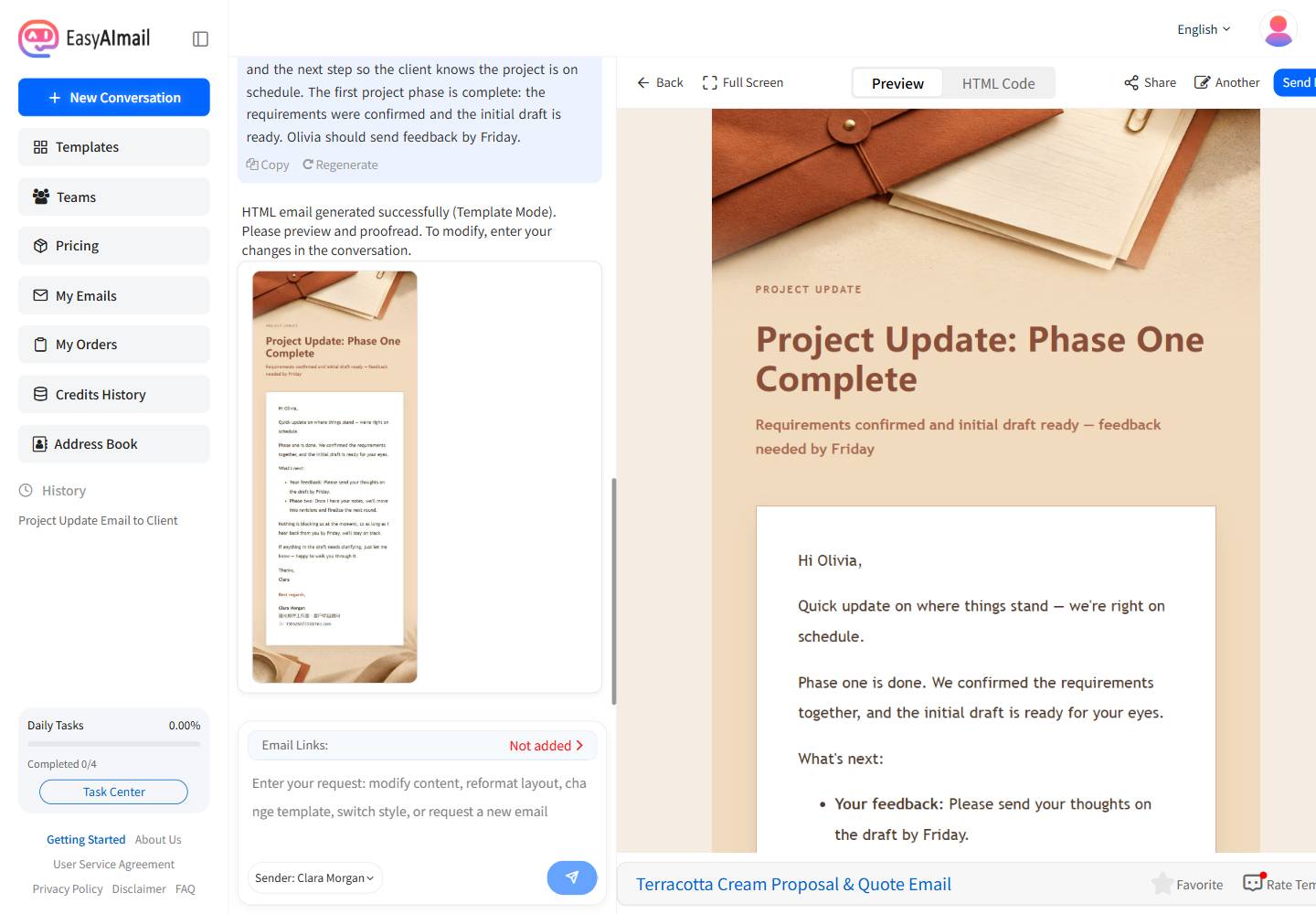
This review is essential. Even when the conversation collected the right information, you should confirm the recipient, facts, and tone yourself. The message feels personal because you remain in the review loop, while AI produces a clear and presentable first version.
Step 5: Paid users can configure their own SMTP
This is one of the most important steps if you want the message to look like it was sent from your normal mailbox. Without a sender SMTP configuration, EasyAImail sends on your behalf through the system-configured SMTP service, so the sender address may belong to the tool or use an easyaimail.com domain. Even when the writing sounds natural, a recipient may still infer that a tool was involved from the sender identity.
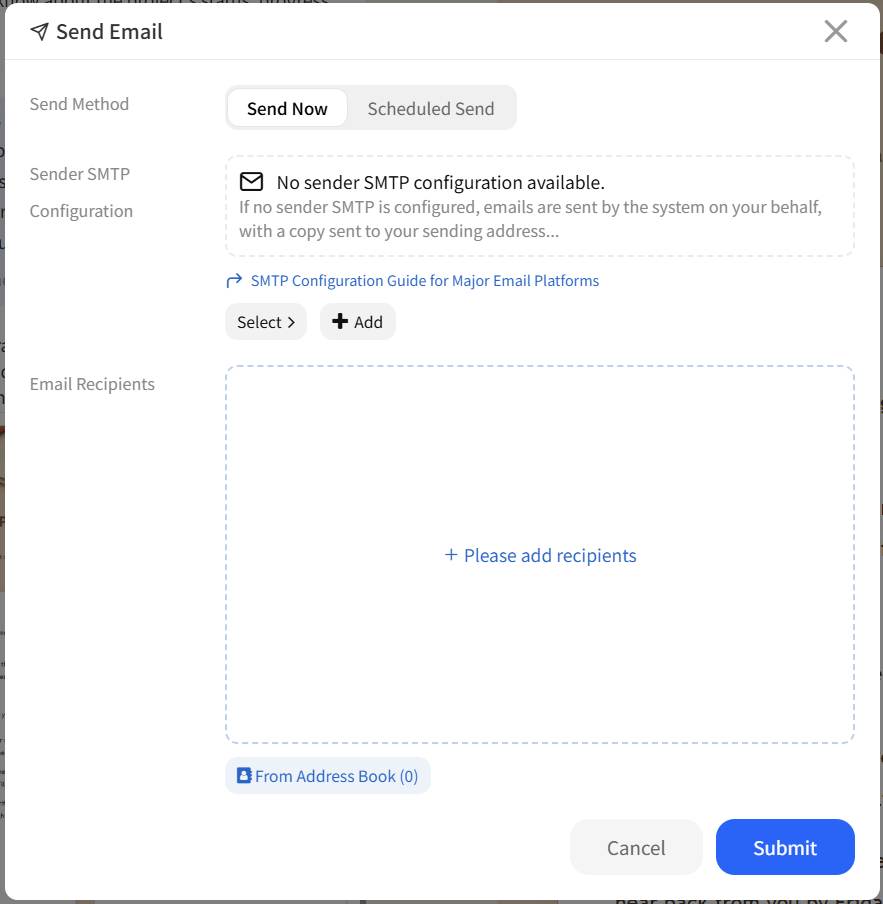
Paid users can add their own SMTP configuration and send through their usual email provider. The configuration normally includes:
- SMTP server
- SMTP port
- SMTP username
- SMTP password
- SMTP authentication: None, TLS, or SSL
- Whether to make this configuration the default
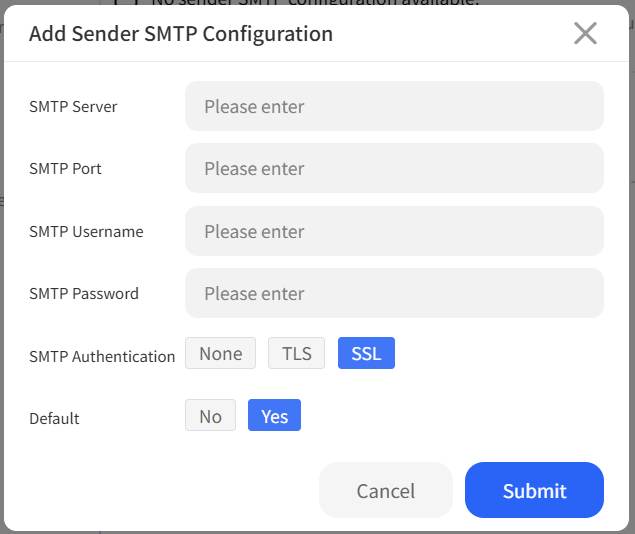
Use the official settings from your email provider, and never place a real password in an article, screenshot, or public document. After saving the configuration, select it in the send window. The message will then be delivered through your provider, keeping the sender address, reply path, and email domain consistent with the mailbox you normally use.
This solves a different problem from natural writing. The conversation and writing rules reduce mechanical phrasing in the content; custom SMTP reduces the tool signal in the sending identity. Without custom SMTP, an easyaimail.com sender domain may remain a visible clue even when the email reads like something you wrote yourself. Sending through your own mailbox brings the content, signature, and sender identity into the same context.
Custom SMTP does not prove that the writing was done without AI, and it cannot guarantee that every detection system will treat the message as human-written. It also does not remove the need to review the content. It keeps the sending identity consistent. Combined with a real recipient, concrete context, natural writing rules, and your own mailbox, the entire message feels much more like a communication you prepared yourself.
You provide the meaning; EasyAImail prepares the email
EasyAImail is not trying to act as a universal ghostwriter. It works more like an email assistant that asks useful follow-up questions: understand the intent, recommend templates, wait for your choice, collect missing details, remove empty and mechanical phrasing, and produce an HTML email you can review.
The most effective way to make an AI-assisted email feel personal is not to write a longer prompt. Give the real relationship and concrete facts, choose the template yourself, review the final email, and, if you are a paid user, configure your own SMTP so the sending identity stays consistent too.
Ready to put this guide into practice?
Start with one sentence about your recipient, purpose, and key points. EasyAImail guides you through the rest.