
The draft that sounds fine in your head can look vague once it reaches a client. Phrases such as "we are still working on it" or "it should be done soon" may be honest, but they leave the reader without a date, a next step, or much confidence.
The EasyAImail browser plugin has a separate AI review path for a Gmail draft you have already written. It is not the template-generation workflow. Open the draft in Gmail, then use AI review from the side panel to get specific feedback before you decide whether to apply an improved version.
Review the draft you already have
In this example, a short proposal update was polite but imprecise. The plugin recognized the open draft and offered AI review alongside other actions.
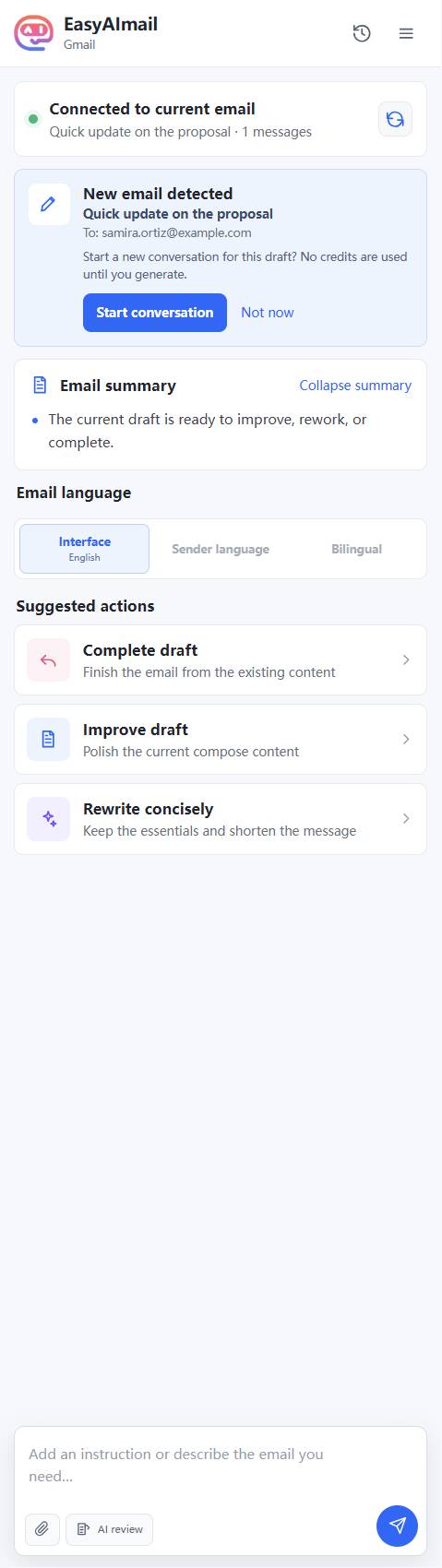
The review called out three practical problems: no concrete timeline, an overly casual explanation for the delay, and no clear next step. It did not pretend to know a delivery date that the draft never supplied. Instead, it suggested committing to a firm follow-up date.
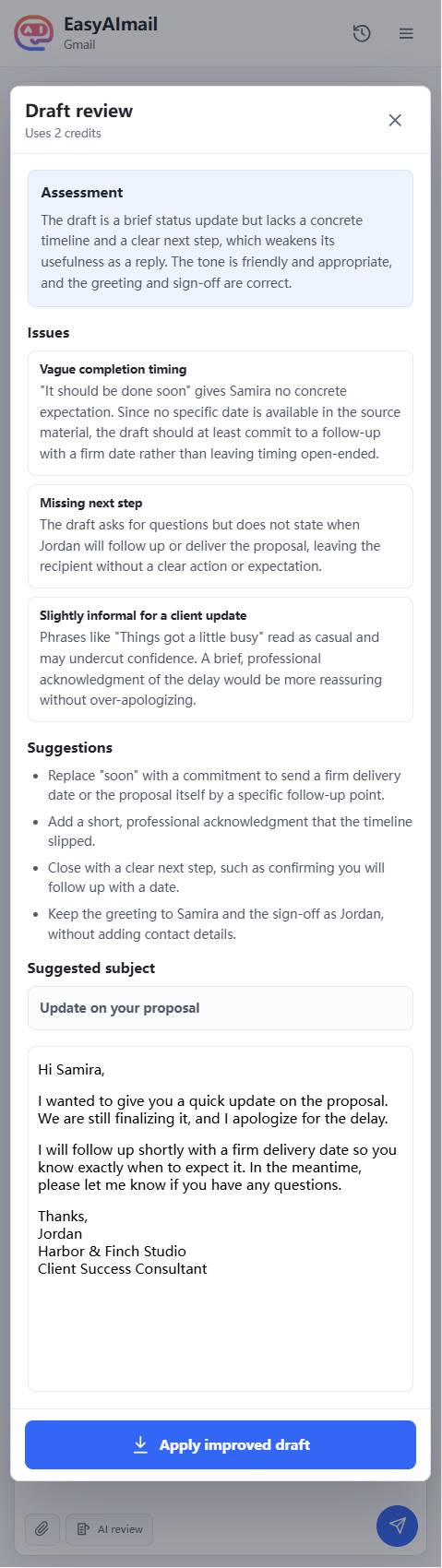
That distinction matters. A professional rewrite should make the message clearer without inventing facts.
Apply only after reading the changes
The review offers an improved draft, but applying it remains your choice. In this test, the new version acknowledged the delay, replaced "soon" with a commitment to provide a firm date, and used the virtual sender's full signature. It was inserted into Gmail as a draft, not sent.
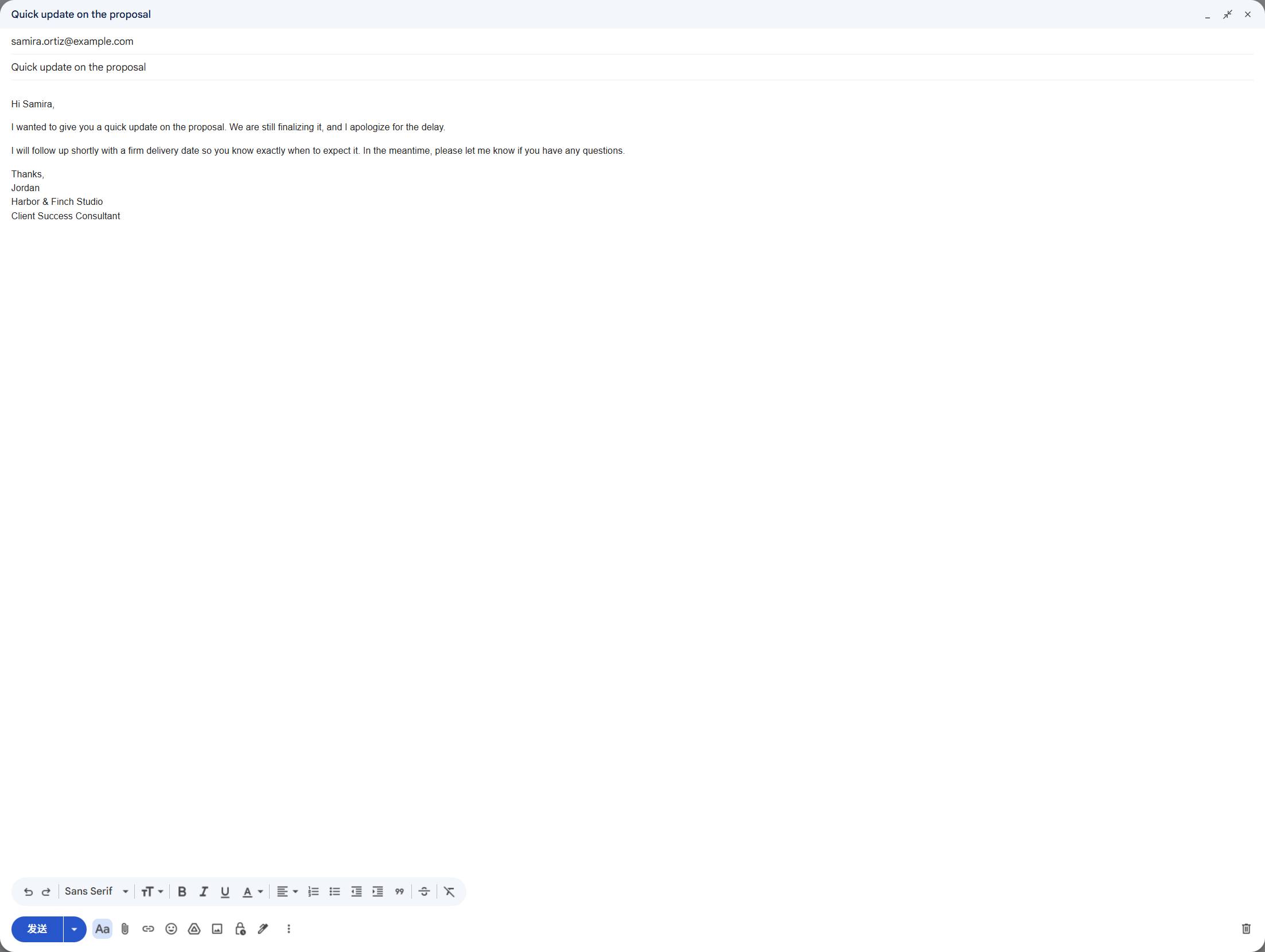
Before sending, check the delivery date, the reason for any delay, the recipient name, and the signature. If the suggested wording promises more than you can deliver, revise it in Gmail or ask the plugin for a narrower change.
When AI review is useful
- a client update is true but too vague;
- an apology sounds defensive or overexplains;
- the next step is missing;
- the tone is friendlier or colder than the relationship calls for;
- a copied draft has an outdated sign-off.
EasyAImail helps you inspect and improve an open Gmail draft. You still own the facts, the applied version, and the final Send button.
FAQ
Does AI review automatically replace my Gmail draft?
No. Review provides feedback and an improved version. You choose whether to apply it, then can still edit the Gmail draft.
Does applying the improved draft send the email?
No. It inserts text into the active Gmail draft. Sending remains a separate decision you make in Gmail.