
Formal Steady Reply Lilac Paper
A formal, steady reply template for browser-extension email responses, suited to polite declines, formal apologies, important confirmations, boundary-setting, and sensitive matters. The tone is formal, respectful, and clear, not tied to any specific event, so it flexibly carries agreement confirmations, negotiation adjustments, thank-you acknowledgements, supplementary information, clarification requests, and courteous follow-ups. The content strategy responds to the key points of the incoming email first, then organizes confirmed items or a checklist, and finally gives next steps while leaving room for the recipient to reply. Visually it follows a lilac gauze paper direction, built on lavender, smoky violet, ivory, and ink blue, with pressed botanical accents and a quiet feminine editorial mood, using restrained architectural framing and balanced whitespace to form a formal hierarchy; the soft, compact layout keeps short replies refined and long replies from stretching. Mobile-first, with desktop media queries enhancing font size, whitespace, and up to two external link buttons displayed side by side.
This template was made for EasyAImail with AI assistance and was not copied from a third-party template library. No separate template license is required, and it may be used in commercial email under our Terms of Service.
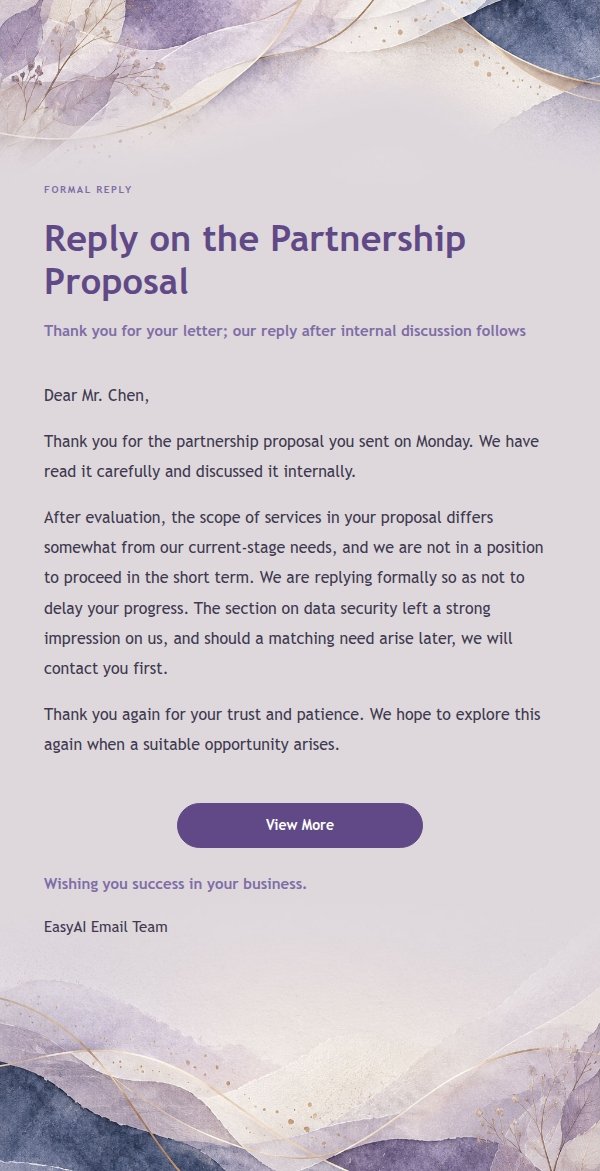
Email previews
2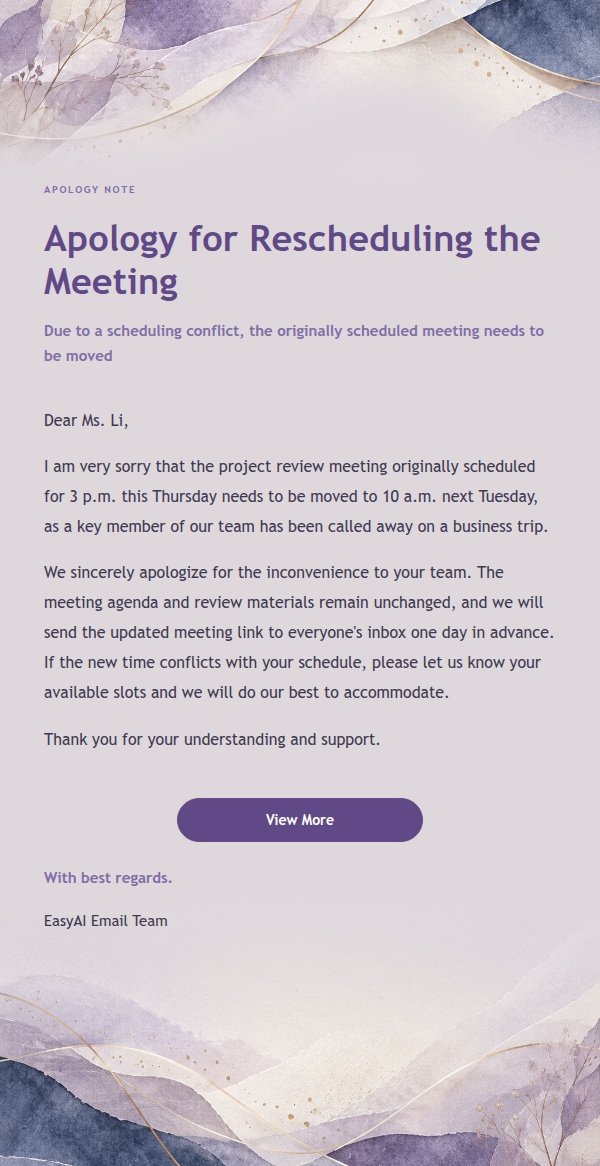
Use this template in three steps
No downloads and no HTML editing. After you sign in, this template opens automatically; just tell AI who the email is for and why you are writing.
- 1
Open this template
Click the button and sign in or create a free account. The writing screen opens with this template already selected.
- 2
Tell AI the essentials
In your own words, share the recipient, purpose, and tone. If dates, locations, links, or other details are missing, AI asks for them.
- 3
Preview, revise, and send
Review the complete email and ask AI for changes. Then enter the recipient and choose to send now or schedule it.
Version history
- v1.0First Created