
Forest Green Charity Action Notice Email
Forest green charity action email template with natural warm colors and a clear call to action, making volunteer recruitment and community service notices warmer and easier to respond to.
Create a free account and this template opens in the writing screen. Tell AI who the email is for and why you are writing; it asks for the missing details and creates your complete email.
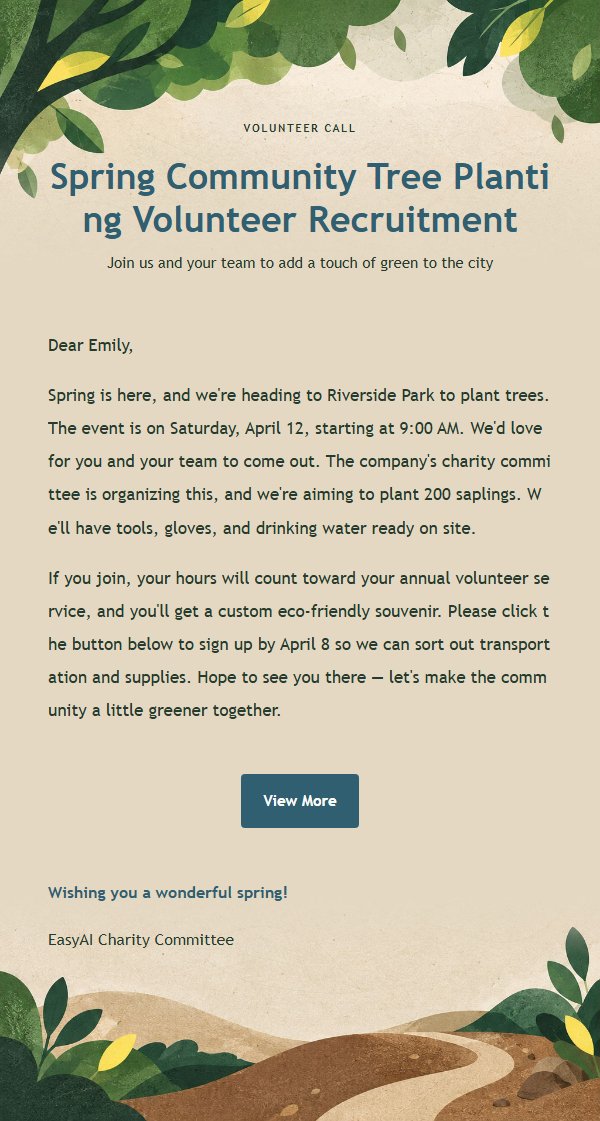
About this template
This is a charity action notice email template featuring a forest green color scheme, great for corporate volunteer days, community service, charity donation sign-ups, and ESG internal announcements. The design is natural and warm, combining forest green, earth brown, light sand, and lemon yellow to convey the approachability of environmental and charitable causes. Built on a 600-pixel email canvas, the top establishes a clear reading entry through an eyebrow, main title, and subtitle, while the middle body area supports Markdown HTML, and the bottom places the closing greeting, signature, and external link button in sequence. The content strategy emphasizes explaining recipient benefits first, then supplementing key information and action paths, helping recipients quickly understand, view details, book, or confirm participation.
Email previews
2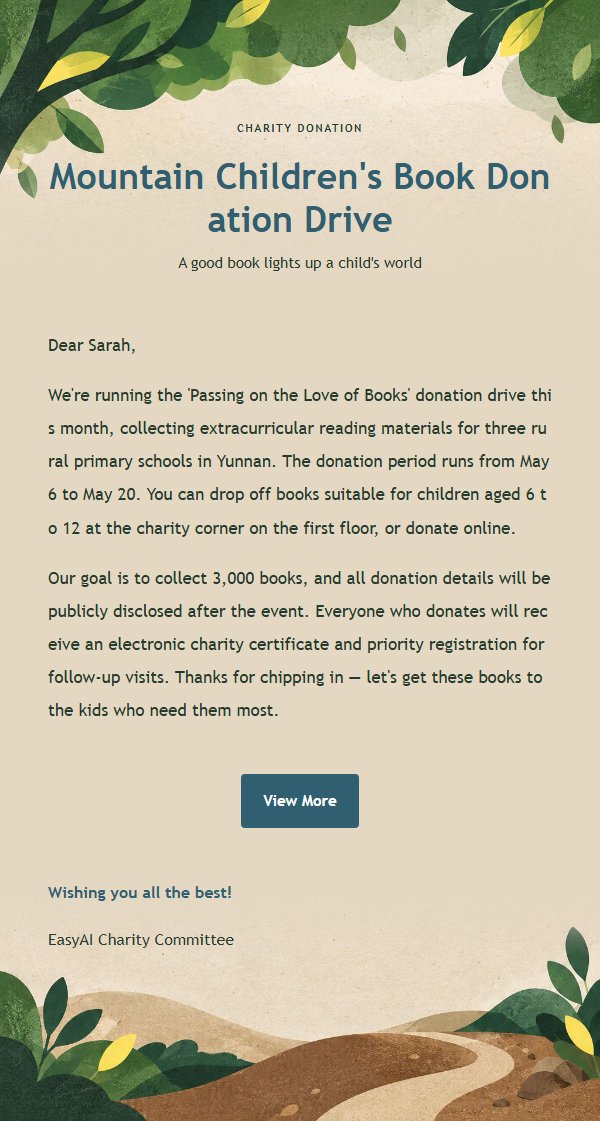
Use this template in three steps
No downloads and no HTML editing. After you sign in, this template opens automatically; just tell AI who the email is for and why you are writing.
- 1
Open this template
Click the button and sign in or create a free account. The writing screen opens with this template already selected.
- 2
Tell AI the essentials
In your own words, share the recipient, purpose, and tone. If dates, locations, links, or other details are missing, AI asks for them.
- 3
Preview, revise, and send
Review the complete email and ask AI for changes. Then enter the recipient and choose to send now or schedule it.
Version history
- v1.0First Created
Turn this template into your own email
Create a free account and this template opens automatically. Tell AI who you are writing to, why, and what matters; then preview the complete email, revise it, and decide how to send it.