
Diwali Night Glow Greeting Email
Diwali is almost here. Send a note with warm light, marigolds and a few honest words, straight to someone's inbox.
Create a free account and this template opens in the writing screen. Tell AI who the email is for and why you are writing; it asks for the missing details and creates your complete email.
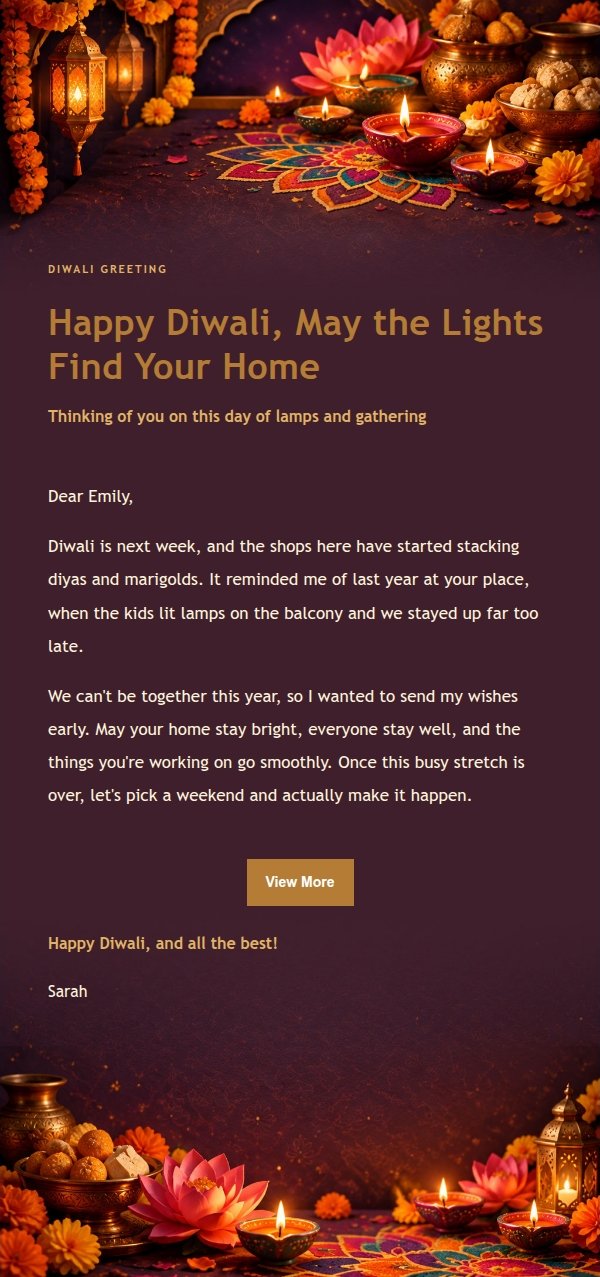
About this template
This Diwali greeting template leads with atmosphere: glowing diyas, marigold garlands and peacock-teal paper craft set the scene at the top, while a low-contrast band in the middle holds the message so short notes and long letters both breathe. Built for writing to family, colleagues or clients around October 29, 2027 — say why you thought of them, then share thanks, reunion plans or a quick update, and close with one light button. Saffron orange, magenta, peacock teal and antique gold carry the paper-craft detail, and desktop view scales up type and spacing automatically.
Email previews
2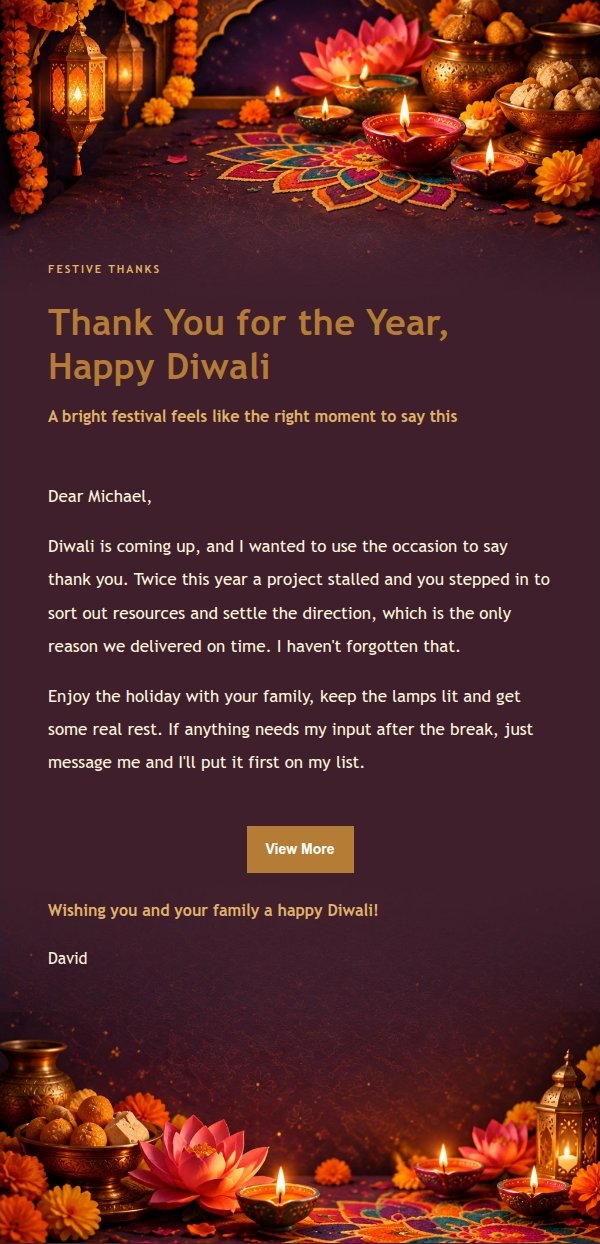
Use this template in three steps
No downloads and no HTML editing. After you sign in, this template opens automatically; just tell AI who the email is for and why you are writing.
- 1
Open this template
Click the button and sign in or create a free account. The writing screen opens with this template already selected.
- 2
Tell AI the essentials
In your own words, share the recipient, purpose, and tone. If dates, locations, links, or other details are missing, AI asks for them.
- 3
Preview, revise, and send
Review the complete email and ask AI for changes. Then enter the recipient and choose to send now or schedule it.
Version history
- v1.0First Created
Turn this template into your own email
Create a free account and this template opens automatically. Tell AI who you are writing to, why, and what matters; then preview the complete email, revise it, and decide how to send it.