
Coral Black & White Post-Purchase Follow-Up Email
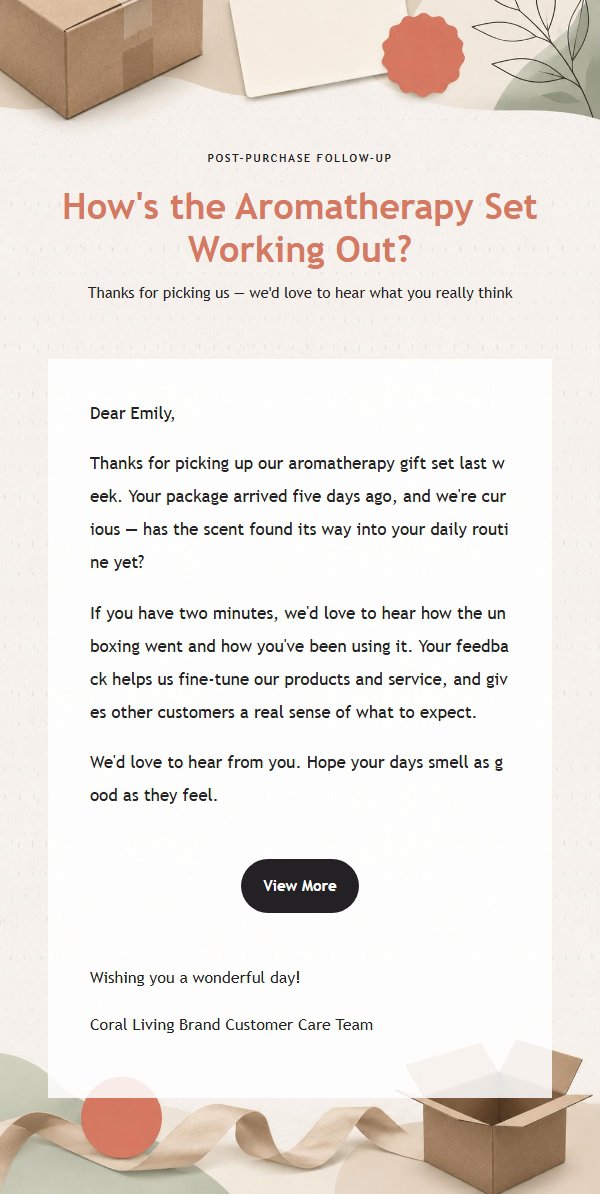
Coral stamp paired with black-and-white editorial layout, restrained yet warm. This post-purchase follow-up email template helps you elegantly invite customers to share their experience and boost repeat purchases and reputation.
Create a free account and this template opens in the writing screen. Tell AI who the email is for and why you are writing; it asks for the missing details and creates your complete email.
About this template
A post-purchase follow-up email template designed for e-commerce and lifestyle brands, using a coral stamp and black-and-white editorial layout to convey a restrained yet warm brand tone. For customer follow-ups 3 to 14 days after purchase, it establishes a clear reading entry through an eyebrow, main title, and subtitle, with the central body area carrying the core message and the bottom section placing the closing greeting, signature, and external link button in sequence. The overall color palette features coral, ink black, off-white, soft beige, and sage green for a clean and refined look. The template supports a single-column main product, a two-column secondary product layout on desktop that stacks vertically on mobile, and retains placeholders for title, eyebrow, subtitle, body, greeting, signature, external link, product, and footer for batch editing and automatic translation. The content strategy emphasizes stating the recipient's benefit first, then supplementing key information and action paths, guiding customers to share their experience, view details, or make another purchase.
Email previews
2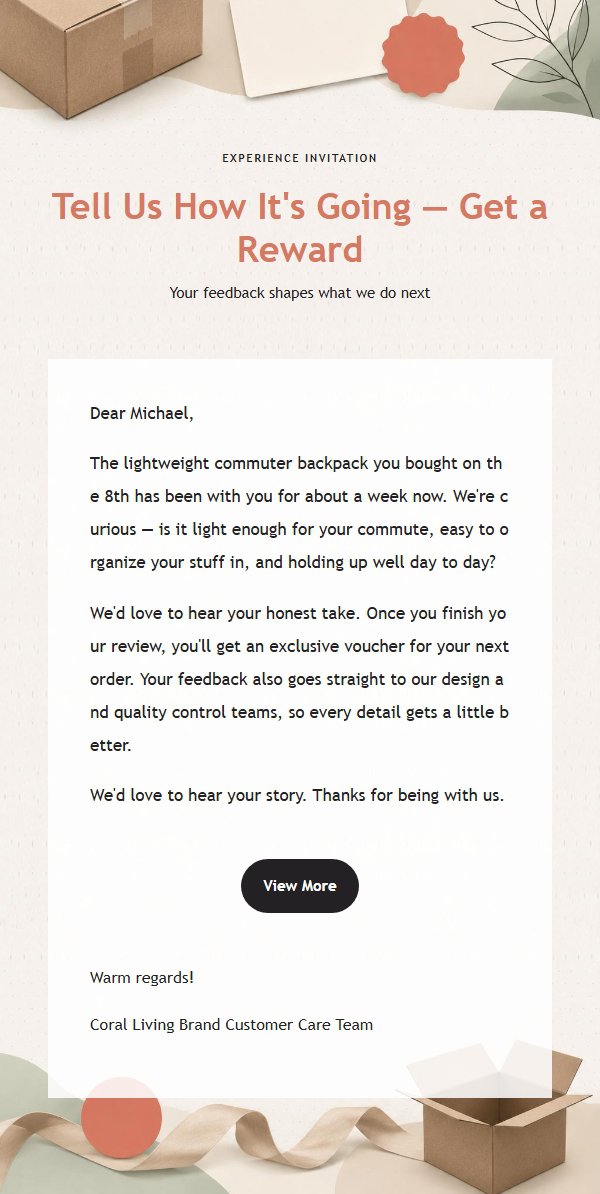
Use this template in three steps
No downloads and no HTML editing. After you sign in, this template opens automatically; just tell AI who the email is for and why you are writing.
- 1
Open this template
Click the button and sign in or create a free account. The writing screen opens with this template already selected.
- 2
Tell AI the essentials
In your own words, share the recipient, purpose, and tone. If dates, locations, links, or other details are missing, AI asks for them.
- 3
Preview, revise, and send
Review the complete email and ask AI for changes. Then enter the recipient and choose to send now or schedule it.
Version history
- v1.0First Created
Turn this template into your own email
Create a free account and this template opens automatically. Tell AI who you are writing to, why, and what matters; then preview the complete email, revise it, and decide how to send it.