
Clear Transactional Reply Email
A clear, no-nonsense reply template built for browser-extension email workflows. It fits small-business exchanges, freelancer coordination, client detail confirmations, survey follow-ups, and service clarifications. The tone is practical, friendly, and reliable, with no fixed event attached, so it can carry confirmations, polite declines, schedule adjustments, thank-you notes, extra details, clarifying questions, rescheduling apologies, and courteous follow-ups. The layout leads with a direct response to the sender's main points, then lists confirmed items or a short checklist, and closes with next steps while leaving room for a reply. Visually it uses a deep-navy rational line-art direction with ledger lines, parcel labels, and clear document hierarchy, plus modular editorial bands and clean checkpoints for a subtle, scene-specific feel. High information density, mobile-first, with desktop media queries that enlarge type, spacing, and up to two side-by-side link buttons.
This template was made for EasyAImail with AI assistance and was not copied from a third-party template library. No separate template license is required, and it may be used in commercial email under our Terms of Service.
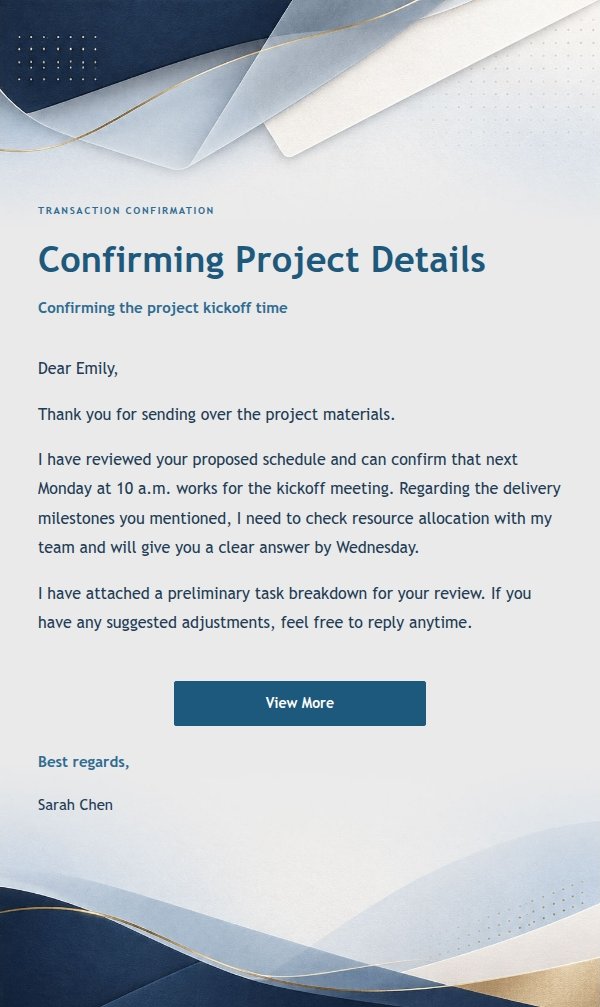
Email previews
2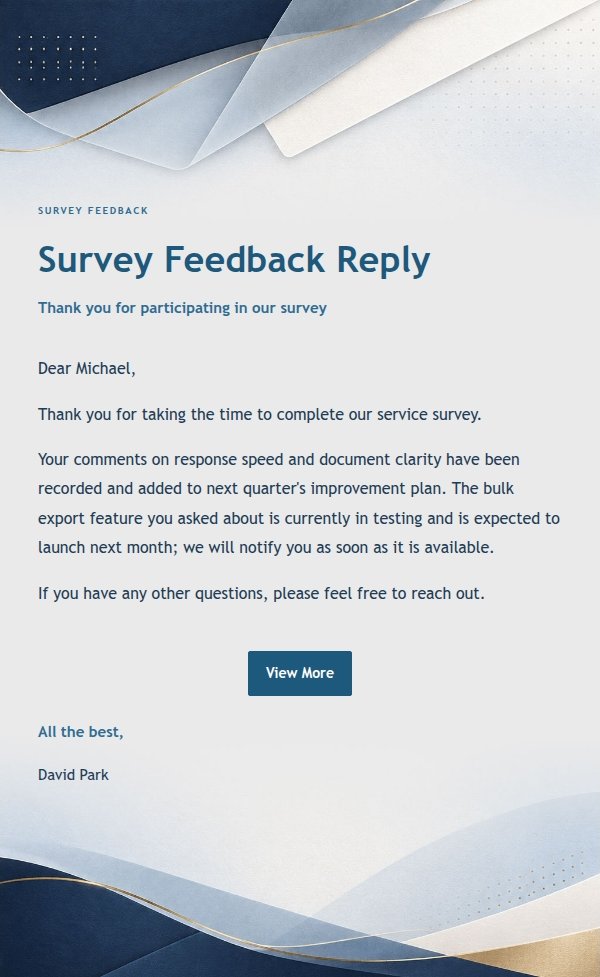
Use this template in three steps
No downloads and no HTML editing. After you sign in, this template opens automatically; just tell AI who the email is for and why you are writing.
- 1
Open this template
Click the button and sign in or create a free account. The writing screen opens with this template already selected.
- 2
Tell AI the essentials
In your own words, share the recipient, purpose, and tone. If dates, locations, links, or other details are missing, AI asks for them.
- 3
Preview, revise, and send
Review the complete email and ask AI for changes. Then enter the recipient and choose to send now or schedule it.
Version history
- v1.0First Created